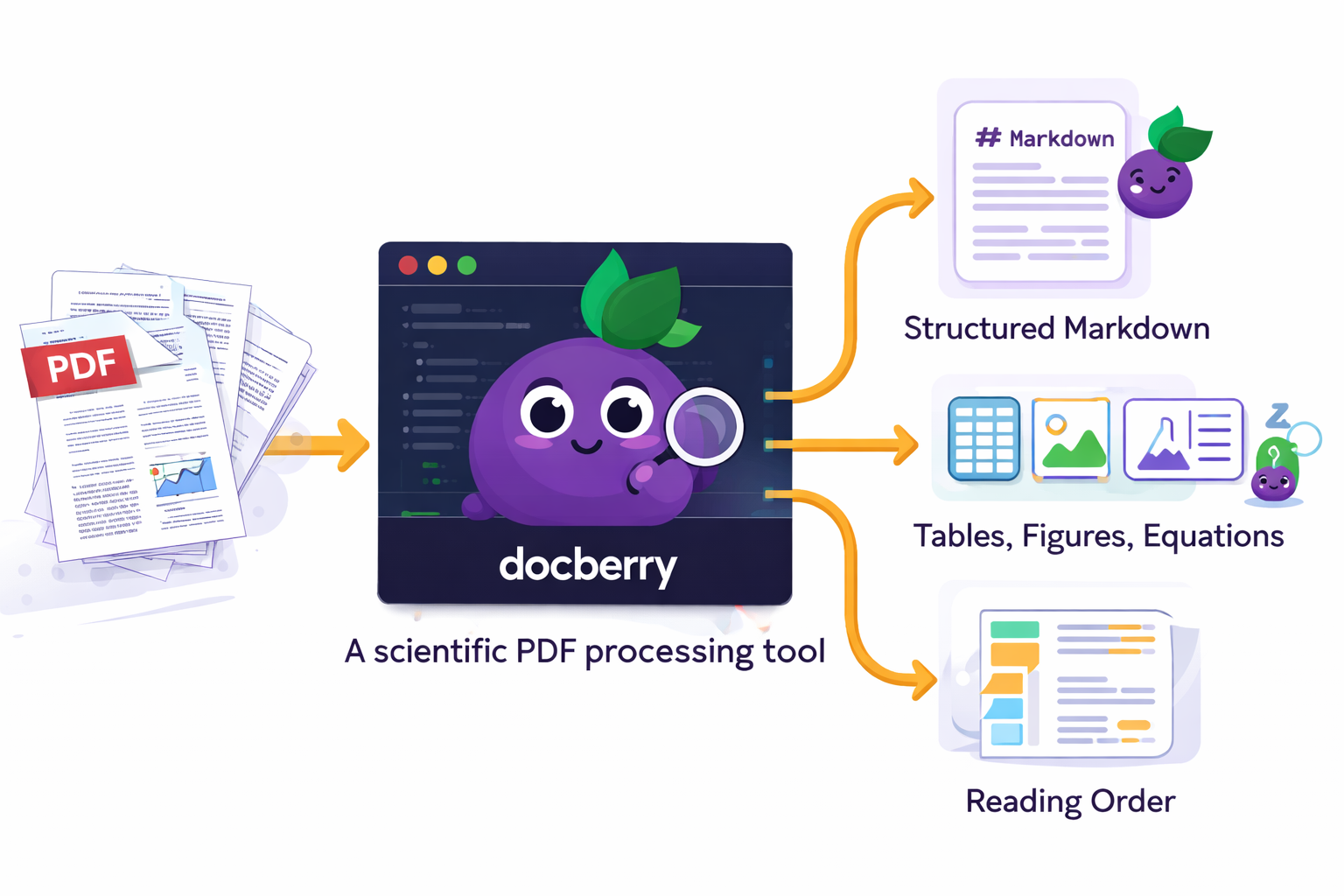
Extract tables, figures, and equations from academic papers with proper reading order — powered by Docling, enhanced with multi-column segmentation and pluggable equation enrichment.
DocBerry first segments multi-column layouts into reading order, then converts to Markdown with full asset extraction.
Real outputs from a scientific paper processed by DocBerry.
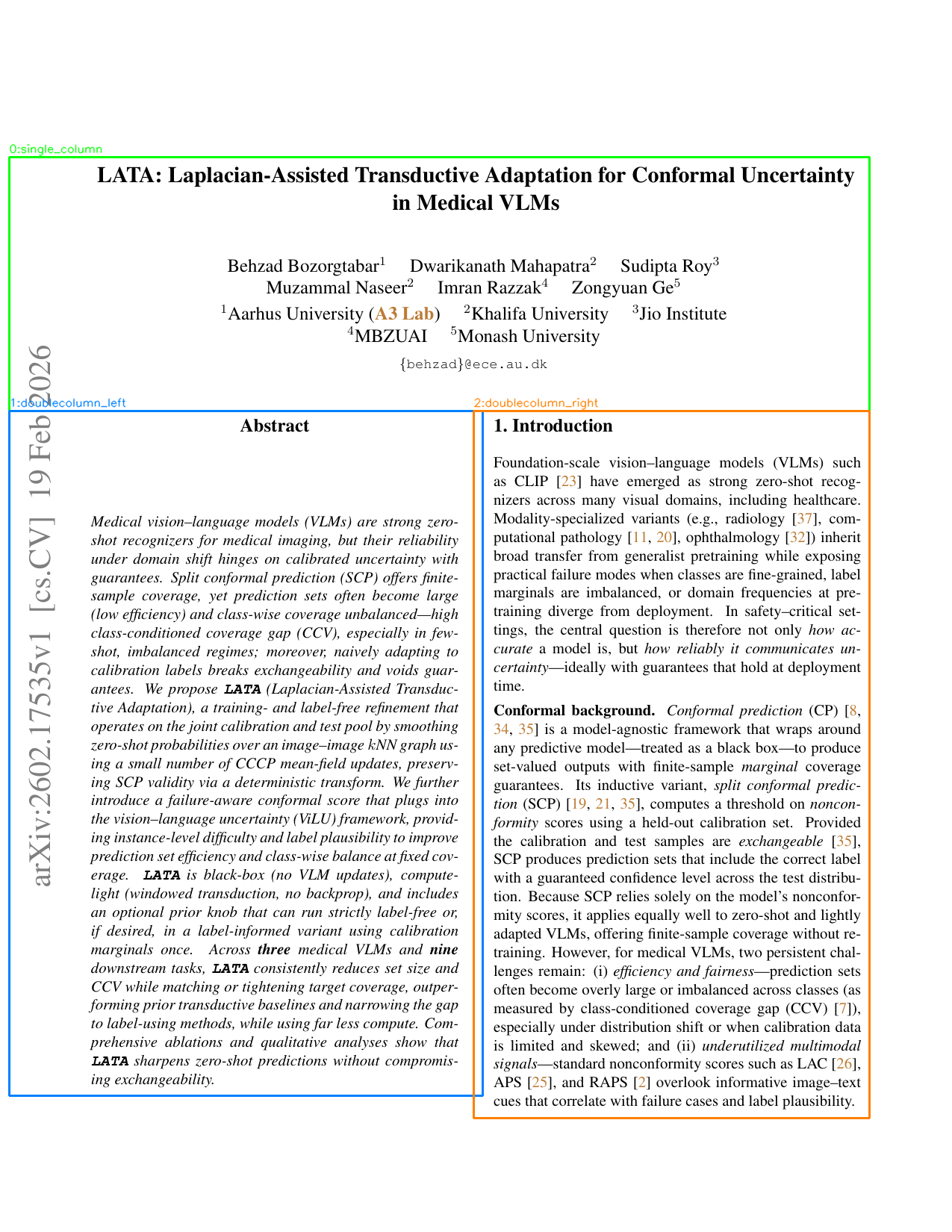
DocBerry analyzes each page and detects full-width regions (title, abstract, figures) and two-column body text. Color-coded segments show the detected layout: green for full-width, orange for left column, blue for right column. The segments are reordered into the natural reading sequence before conversion.
Page 1 — Title + two-column body detected
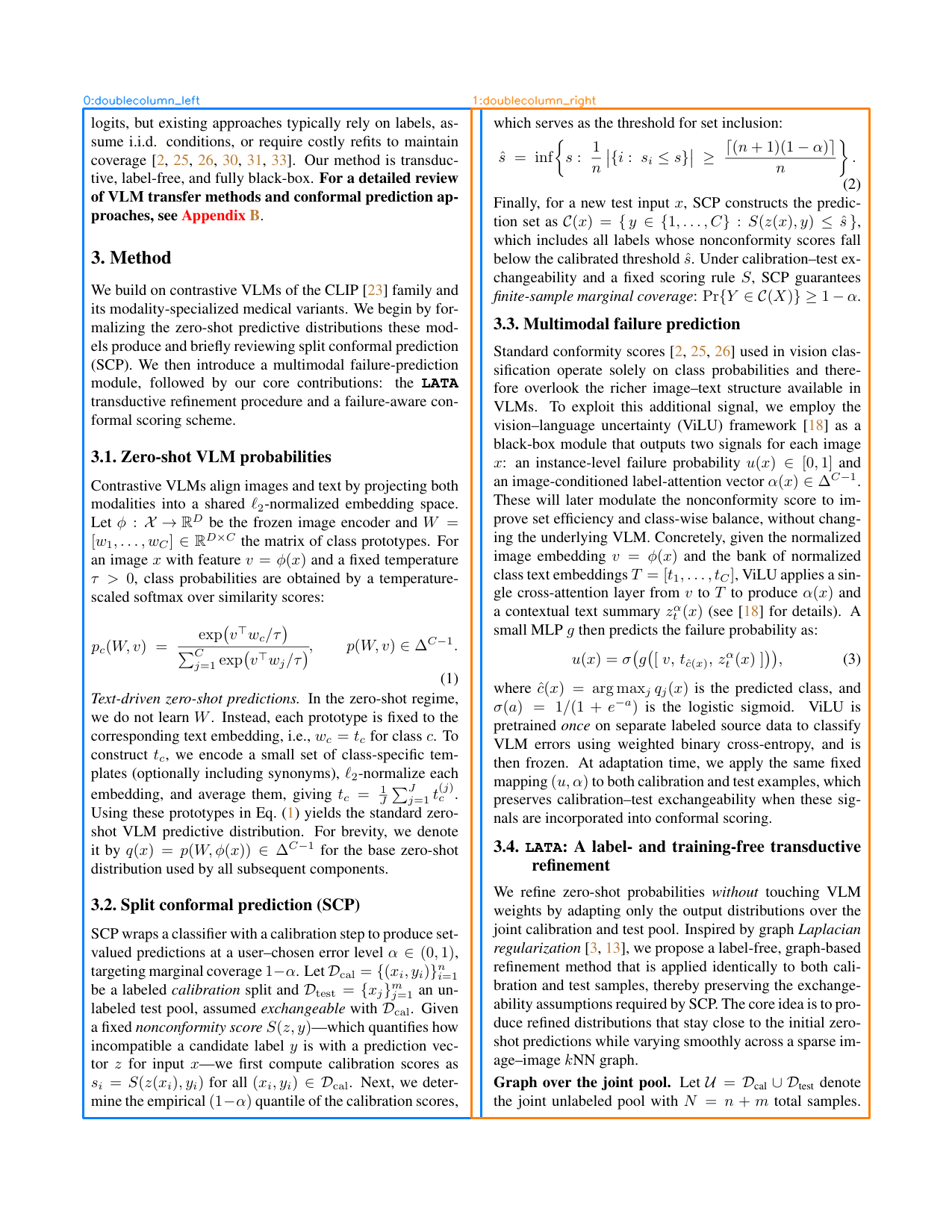
Interior pages with pure two-column text are split into left and right segments. Equations and section headings that sit within a column are kept with their column. The algorithm handles narrow gutters, mixed single/double regions, and figures that span one or both columns.
Page 3 — Pure two-column body with equations
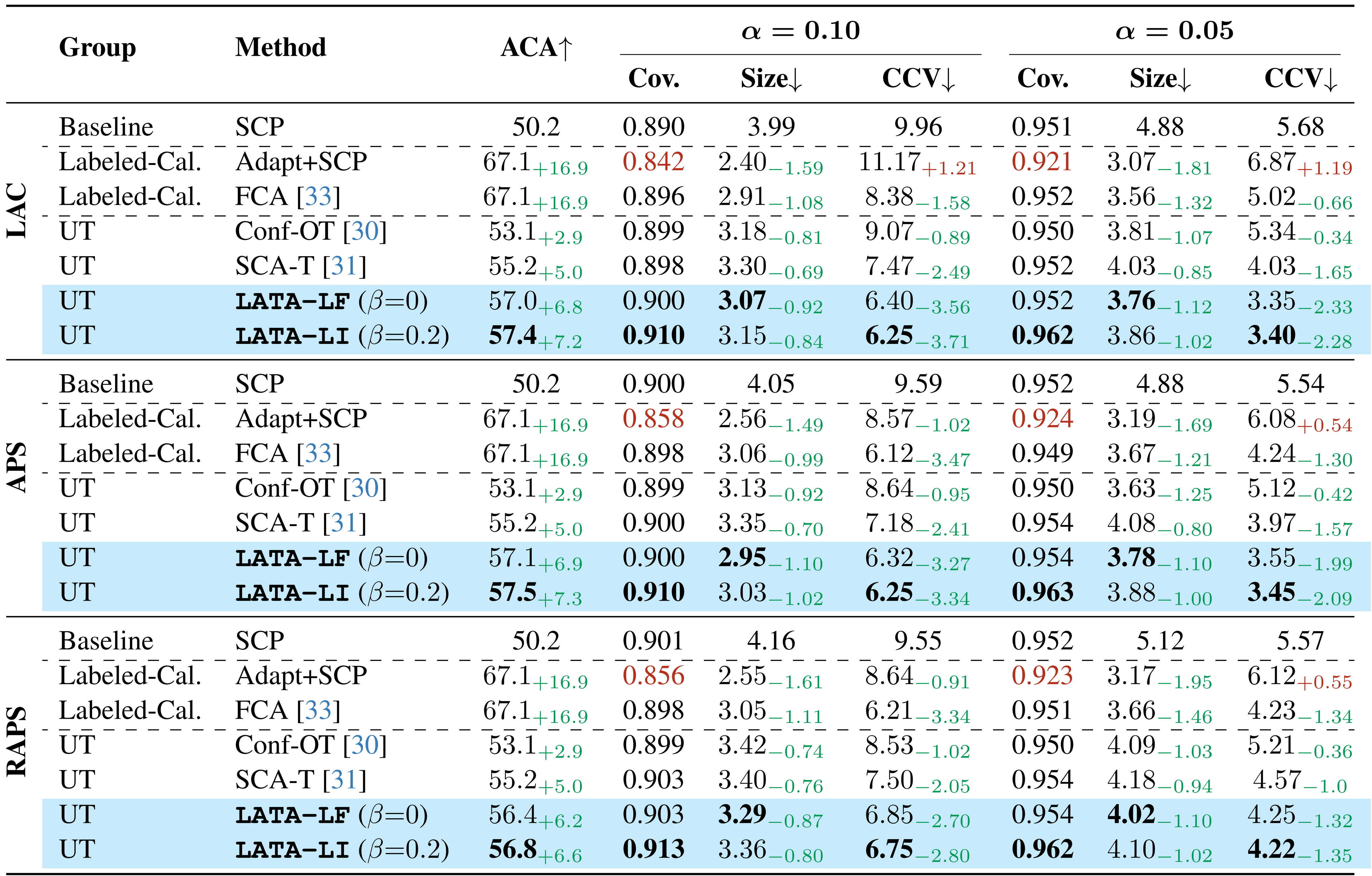
Every table is extracted as a high-DPI image (900 DPI) in PNG, PDF, and SVG formats, plus a structured CSV. The Markdown output replaces pipe-delimited tables with image hyperlinks so you can always verify the extraction against the original rendering.
Table 1 — Extracted at 900 DPI with CSV + caption
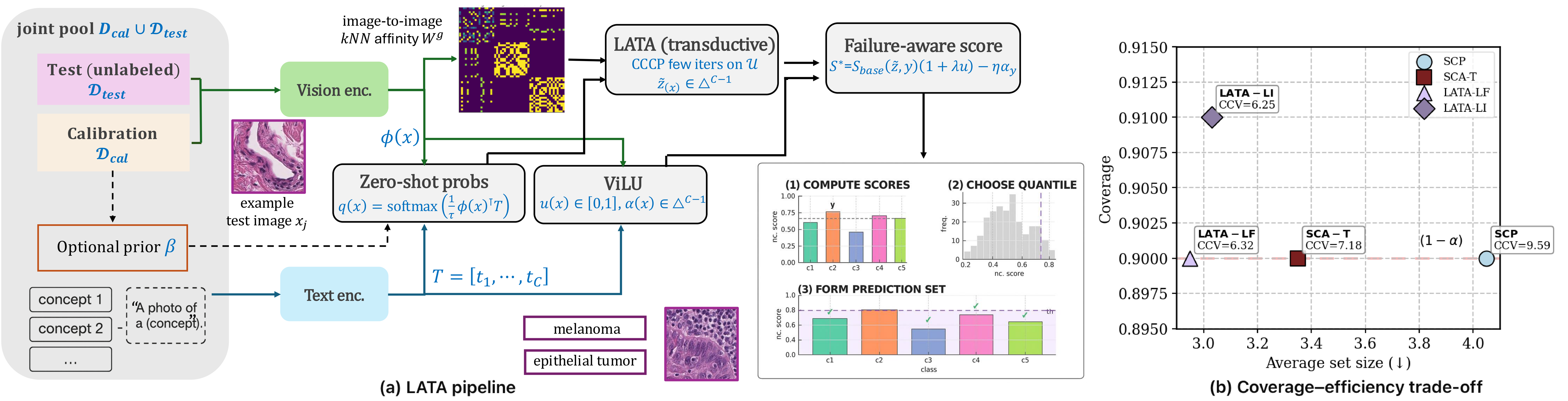
Figures are extracted with their captions preserved alongside. Sub-figures that span multiple panels are intelligently merged into a single composite asset. Complex multi-panel figures with embedded charts and confusion matrices are captured faithfully.
Figure 2 — Pipeline diagram extracted with full fidelity
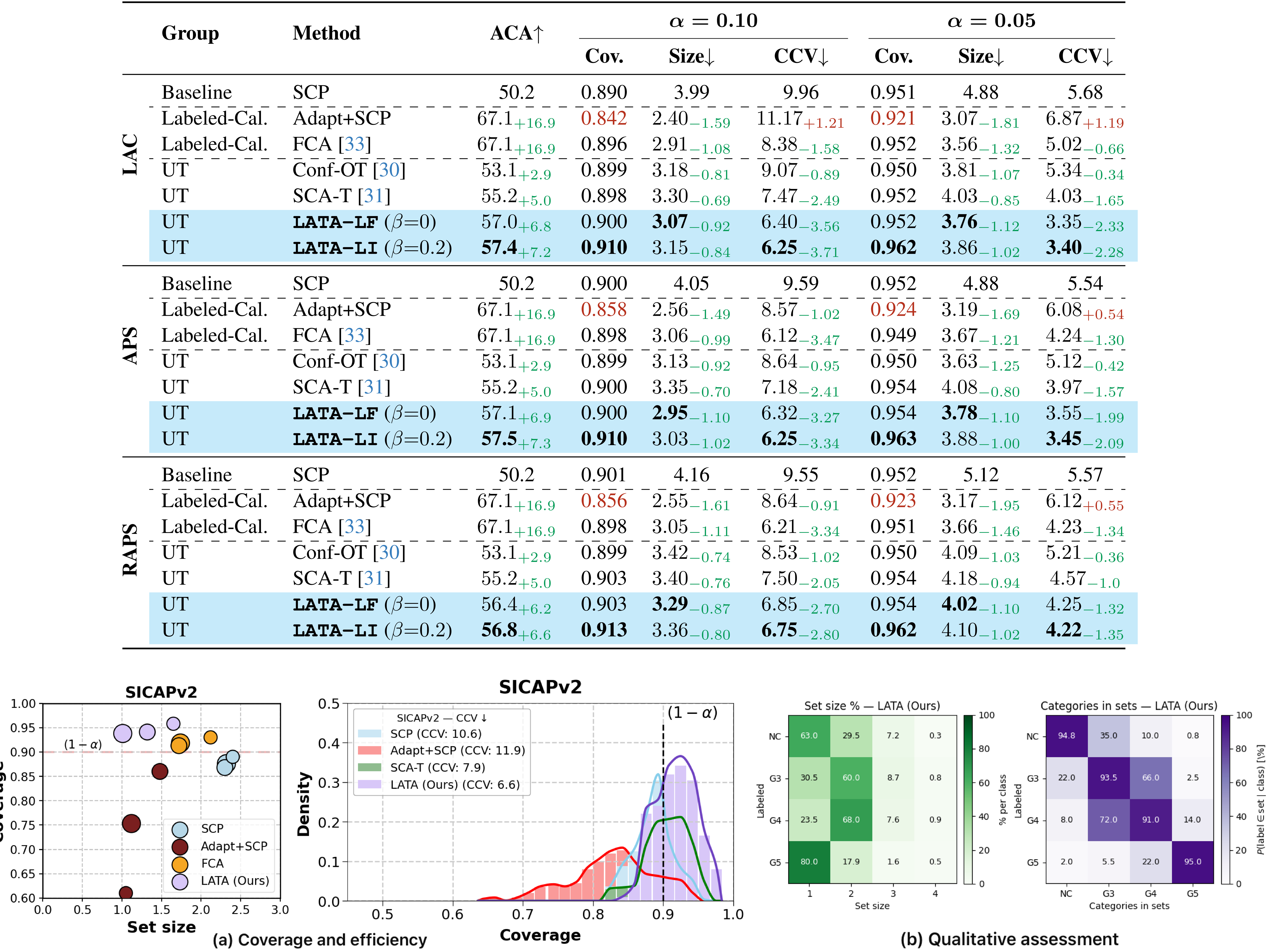
Even complex full-page composite figures with tables, scatter plots, density charts, heatmaps, and confusion matrices are captured as a single unified asset. Captions are preserved and saved alongside the image files.
Figure 3 — Table + charts + heatmaps in one composite
Every equation is saved as a high-DPI image and optionally converted to LaTeX using one of four backends. The Markdown output includes both the LaTeX block and an image reference so you can visually verify each equation.
Use auto_segment=True to segment and convert in a single call. Or run each stage independently for full control.
Install only what you need. Core is lightweight; pix2tex and Qwen are optional extras. Models auto-download on first use.
Every asset in PNG + PDF + SVG. Tables also get CSV. Equations get LaTeX .txt files. Captions preserved for all assets.
Use the Python API or the CLI — your choice.
from docberry import segment_pdf, convert_document # One-shot: segment + convert in a single call result = convert_document( "paper.pdf", output_dir="output/", extract_assets=True, auto_segment=True, equation_enrichment="pix2tex", ) print(result.markdown_path) # output/paper.md print(result.tables) # 5 print(result.figures) # 8 print(result.equations) # 12 print(result.elapsed_seconds) # 42.3
# Full pipeline (segment + convert) $ docberry convert paper.pdf -o output/ --extract-assets --auto-segment # With equation enrichment $ docberry convert paper.pdf -o output/ --extract-assets \ --equation-enrichment pix2tex # Segment only (for inspection) $ docberry segment paper.pdf -o paper_segmented.pdf --debug-dir overlays/ # Pre-download all model weights $ docberry download-models --all
# Core (segmentation + conversion + asset extraction) $ pip install docberry # With lightweight equation LaTeX OCR $ pip install 'docberry[pix2tex]' # With Qwen VLM equation enrichment $ pip install 'docberry[qwen]' # Everything $ pip install 'docberry[all]'
Choose the right trade-off between speed, quality, and model size.
| Method | Speed | Quality | Model Size | Install Extra |
|---|---|---|---|---|
| none | — | Images only (no LaTeX) | — | — |
| pix2tex | Fast ~1s/eq | Good for simple equations | ~100 MB | docberry[pix2tex] |
| qwen | Medium ~3s/eq | Good, handles complex notation | ~1.6 GB | docberry[qwen] |
| docling | Slow ~5s/eq | High (CodeFormulaV2 VLM) | ~2 GB | Built-in |
The two main functions you’ll use.
Convert a document to Markdown or JSON with optional asset extraction. This is the main entry point for DocBerry.
| Parameter | Type | Default | Description |
|---|---|---|---|
| source | str | — | Path to a local file or a URL to convert. |
| output_dir | str | None | None |
Output directory. Defaults to <source_stem>_output/ next to the source. |
| output_format | str | "markdown" |
"markdown" or "json". |
| extract_assets | bool | True |
Extract tables, figures, and equations as separate image files. |
| layout_model | str | "heron" |
Docling layout model. Options: "heron", "egret-medium", "egret-large", "egret-xlarge". |
| pipeline | str | "standard" |
Conversion pipeline: "standard" or "vlm". |
| equation_enrichment | str | "none" |
LaTeX extraction method: "none", "pix2tex", "qwen", or "docling". |
| auto_segment | bool | False |
Segment the PDF for reading order before conversion. |
Segment a PDF into reading-order regions. Detects full-width headers, two-column body, and spanning figures/tables, then writes each region as a separate page.
| Parameter | Type | Default | Description |
|---|---|---|---|
| input_pdf | str | — | Path to the source PDF file. |
| output_pdf | str | "segmented_output.pdf" |
Path for the segmented output PDF. |
| page_spec | str | None | None |
Page range (0-based), e.g. "0,2-4". All pages if None. |
| debug_dir | str | None | None |
Directory for debug overlay images (requires docberry[debug]). |
| config | LayoutConfig | None | None |
Layout tuning parameters. Uses defaults if None. |
Dataclass returned by convert_document().
| Field | Type | Description |
|---|---|---|
| markdown_path | Path | None | Path to the generated Markdown file. |
| json_path | Path | None | Path to the generated JSON file. |
| output_dir | Path | None | Output directory containing all results. |
| tables | int | Number of tables extracted. |
| figures | int | Number of figures extracted. |
| equations | int | Number of equations extracted. |
| elapsed_seconds | float | Total processing time in seconds. |
Three subcommands for every workflow.
docberry convert
Main
| Flag | Default | Description |
|---|---|---|
| source | — | Path or URL of the document to convert. |
| -o, --output-dir | auto | Output directory. |
| --format | markdown | Output format: markdown or json. |
| --extract-assets | off | Extract tables, figures, equations as images. |
| --auto-segment | off | Segment for reading order first. |
| --layout-model | heron | Layout model: heron, egret-medium, egret-large, egret-xlarge. |
| --pipeline | standard | Pipeline: standard or vlm. |
| --equation-enrichment | none | LaTeX method: none, pix2tex, qwen, docling. |
docberry segment
Layout
| Flag | Default | Description |
|---|---|---|
| input | — | Input PDF path. |
| -o, --output | segmented_output.pdf | Output segmented PDF path. |
| --pages | all | Page spec, 0-based (e.g. 0,2-4). |
| --debug-dir | — | Directory for debug overlay images. |
| --line-merge-gap | 3.0 | Gap to merge text lines vertically. |
| --band-merge-gap | 14.0 | Gap to merge adjacent bands. |
| --single-coverage-threshold | 0.68 | X-coverage to classify a band as single-column. |
| --min-side-coverage | 0.55 | Min occupancy to consider a column side active. |
| --min-center-gap-ratio | 0.08 | Min center gap ratio for double-column detection. |
| --caption-merge-gap | 35.0 | Max gap to merge a caption into its figure/table. |
docberry download-models
Setup
| Flag | Description |
|---|---|
| --all | Download all model weights (Docling + pix2tex + Qwen). |
| --pix2tex | Download pix2tex model weights only (~100 MB). |
| --qwen | Download Qwen3.5-0.8B model weights (~1.6 GB). |
Common questions about DocBerry.
Yes. The segmentation step detects whether pages are single or multi-column.
Single-column pages pass through without modification. You can also skip segmentation
entirely by omitting --auto-segment.
No. The core pipeline (segmentation + conversion + asset extraction) runs on CPU.
However, equation enrichment with qwen or docling benefits significantly
from a GPU. The pix2tex backend is lightweight and runs fine on CPU.
DocBerry supports all formats that Docling supports: PDF, DOCX, HTML, PPTX,
and images. The segmentation feature is specific to PDFs. For other formats,
use convert_document() without auto_segment.
All images (tables, figures, equations) are extracted at 900 DPI in three formats: PNG, PDF, and SVG. This ensures sharp rendering even when zooming in.
For quick results with simple equations, use pix2tex (~1 sec/eq, ~100 MB).
For complex notation with subscripts and matrices, use qwen (~3 sec/eq, ~1.6 GB).
For highest quality with Docling’s built-in VLM, use docling (~5 sec/eq, ~2 GB).
If you just need equation images without LaTeX, use none.
Yes. Use docberry segment paper.pdf -o segmented.pdf on the CLI
or segment_pdf("paper.pdf") in Python. The segmented PDF can then
be fed into any other tool that expects proper reading order.
Use --debug-dir overlays/ to visualize detected segments. Then adjust
parameters like --single-coverage-threshold, --min-center-gap-ratio,
or --caption-merge-gap via the CLI or a LayoutConfig object in Python.
Every table, figure, and equation is saved in multiple formats with captions and LaTeX text. The Markdown links directly to each asset.
PNG + PDF + SVG for every image asset.
CSV for tables. LaTeX .txt for equations.
Captions preserved alongside each asset.